Sentry vs Klavity: Which Bug Tool Is Right for Web Agencies?
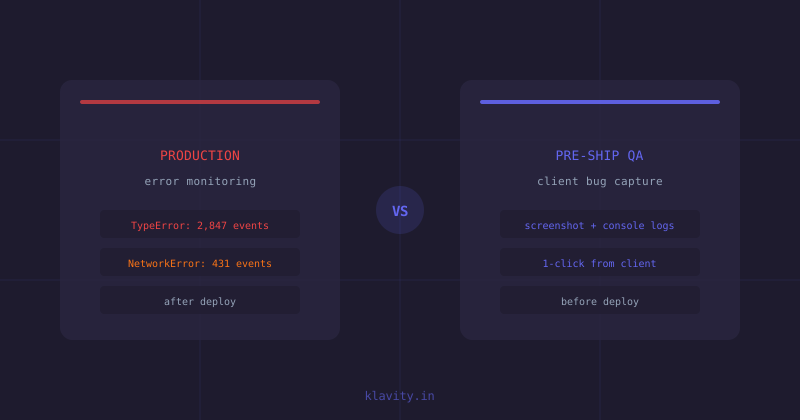
Sentry catches errors after they reach your users. Klavity catches bugs before your code ships. That one distinction explains why web agencies increasingly run both tools — they cover opposite ends of the bug lifecycle.
This comparison breaks down what each tool does, where it falls short, and which one to reach for first.
What does Sentry do?
Sentry is an application performance monitoring (APM) and error tracking platform. It instruments your codebase with an SDK, captures unhandled exceptions and performance regressions in production, groups them by frequency and user impact, and alerts your engineering team.
Sentry is excellent at answering: "What is breaking for real users right now, and how often?"
It is not designed to support QA workflows, client feedback, or pre-ship bug triage. It has no client-facing reporting flow, no screenshot annotation, and no way to attach reproduction steps to a ticket without developer effort.
What does Klavity do?
Klavity is a QA and bug-capture platform built for web agencies and their clients. It installs a one-click widget on any website or staging environment. When a tester or client finds a bug, they click the widget and Klavity automatically captures:
- An annotated screenshot of the exact page state
- Console error logs
- Network request failures
- Device, browser, and viewport info
- The URL and reproduction path
Everything lands in a structured ticket — no more "it's broken on my end" with a blurry phone photo attached to a WhatsApp message.
Head-to-head: Sentry vs Klavity
| Feature | Sentry | Klavity |
|---|---|---|
| When it activates | After deployment (production) | Before deployment (QA & staging) |
| Who reports bugs | Automated SDK alerts | QA testers, developers, clients |
| Client-facing workflow | No | Yes — one-click widget |
| Console log capture | Yes (SDK) | Yes (automatic with each report) |
| Screenshot annotation | No | Yes |
| Ticket creation | Auto-creates from error | Created per reported bug |
| Integrations | Jira, GitHub, Slack, etc. | Jira, Linear, GitHub, Slack |
| Best for | Post-launch error monitoring | Pre-launch QA + client review |
Where Sentry falls short for agencies
Sentry requires SDK installation per project, which works fine for your own apps but is awkward when you are building and handing off client projects. It has no concept of a client reviewer — the UI is engineering-first and overwhelming for non-technical stakeholders.
More importantly, Sentry only sees what breaks in production. By then the client has already been impacted, the sprint is over, and the fix costs more than if the bug had been caught at review. For agencies that charge by the project, post-launch bugs are the most expensive kind.
Where Klavity falls short
Klavity is not a production monitoring tool. It does not aggregate error rates, track performance regressions over time, or send alerts when error volume spikes in live traffic. If a production error is silently swallowing exceptions (no visible breakage), Klavity will not surface it — Sentry will.
Which should you use first?
If your agency has no structured QA and client-review process, start with Klavity. The fastest wins come from eliminating the screenshot-email-Slack-back-and-forth loop, which wastes hours per project. Klavity pays for itself on the first complex client project.
Once your projects are in production and serving real users, add Sentry to catch what slips through. The two tools run alongside each other without overlap.
Key takeaways
- Sentry monitors production errors after deployment; Klavity catches bugs before code ships
- Klavity requires zero developer setup from clients — one-click reporting captures everything automatically
- Sentry is developer-centric; Klavity is designed for agency-client collaboration on QA
- Both tools can run simultaneously — they solve different parts of the bug lifecycle
- For agencies with no structured QA process, Klavity delivers value from day one without waiting for a prod incident
FAQ
What is the main difference between Sentry and Klavity?
Sentry is a production error monitoring tool — it alerts you when something breaks for real users in live code. Klavity is a pre-production QA tool — it helps your team and clients capture, annotate, and triage bugs before deployment. Sentry catches what slipped through; Klavity stops it from slipping through in the first place.
Can I use Sentry and Klavity together?
Yes, and many web agencies do. Klavity handles QA and client review workflows (screenshots, screen recordings, console logs, network traces — all in one click). Sentry handles production error alerting. They complement each other rather than compete.
Is Klavity a Sentry alternative?
Not directly — Klavity does not replace Sentry's production error monitoring. Klavity replaces clunky QA workflows: email screenshots, Loom videos, and back-and-forth Slack threads with clients. If you are looking for a Sentry alternative specifically for client bug reporting and pre-ship QA, Klavity is the right fit.
Which tool is better for web agencies?
Klavity is built specifically for web agency workflows. It lets clients report bugs with one click — capturing screenshot, console logs, device info, and reproduction steps automatically. Sentry is developer-centric and requires engineering setup per project. Most agencies find Klavity solves the immediate pain (messy client feedback) while Sentry handles post-launch monitoring.
Does Klavity capture JavaScript errors like Sentry?
Klavity captures console errors and network request failures automatically as part of every bug report. This is different from Sentry, which aggregates and alerts on production error volumes. Klavity surfaces errors as evidence attached to specific bug reports raised by QA testers or clients.
Catch bugs the moment a human sees them
Klavity: right-click bug reports, AI personas that review your product, and self-healing tests.
Get started free